
Logan & Friends
| 2024
AI-assisted instructional coaching that delivered near real-time feedback, without letting AI override human judgment.
TL;DR
Instructional coaching fails not because feedback is bad, but because it arrives too late, without context, and without control.
I helped design an AI-assisted system that eliminated multi-day delays, reduced navigation friction by 40%, and preserved the trust that makes coaching work.
Role
Product Designer
Team
4 Product Designers · Client Designer (PhD) · Subject Matter Experts
Domain
EdTech · Human-Centered AI
Timeline
30 Weeks
Impact
Efficiency rate
100%
Coaching Feedback Moved From Delayed → Near Real-Time
Eliminated multi-day gaps so teachers reflect while lessons are still fresh
User satisfaction
90%
90% educator satisfaction with clarity and speed
Trust increased when AI was contextual, optional, and human-reviewed
Navigation time
-40%
From 6 min → 3.5 min finding and acting on feedback
Teachers spent less time searching and more time reflecting and improving potentially.
Context
Logan & Friends partners with schools to design equity-focused learning experiences. A core part of that work is instructional coaching, observing classrooms and helping educators grow through feedback.
The problem:
feedback consistently arrived days or weeks after a lesson, long after its impact had faded.
The client's vision:
To explore whether AI could close that gap, analyzing voice-recorded sessions, generating standards-aligned insights, and helping human coaches deliver faster, more actionable guidance.
However, the scope, technical feasibility, and trust boundaries of doing that in a real classroom were all undefined.
How it works
The tool would record real teaching sessions.
AI would then step in to analyze the audio, comparing it to teaching standards.
Based on that, it would generate feedback and suggestions.
A human coach would review and refine that feedback.
And finally, teachers would receive clear, actionable steps to improve their practice.
Problem
Delayed feedback was the symptom. Loss of trust was the real risk.
Coaches observed classrooms, then delivered feedback days later, long after the moment had faded. The client wanted to explore whether AI could close that gap.
But the real design challenge wasn't speed. It was trust. Introducing AI into classrooms raised hard questions: Would teachers feel judged by an algorithm? Would recording raise consent concerns? Would automation strip the empathy that makes coaching effective?
The challenge wasn't whether AI could generate feedback. It was whether it could do so without breaking trust.

Research
Five methods. One clear pattern: teachers want bite-sized, contextual guidance that respects their time and judgment.
I led and synthesized research across:
5 in-depth teacher interviews
12 educator survey responses
7 competitor analyses
20+ research papers on instructional coaching
Multiple rounds of usability testing
What the research surfaced:
1
Timeliness beats volume
Feedback loses value after 72 hours, even if it's detailed.
2
Context builds trust
Teachers responded better to feedback tied to specific moments they could recall.
3
AI acceptance is conditional
Most teachers were open to AI only if it didn't feel judgmental, intrusive, or opaque.
4
Navigation friction kills adoption
Teachers spent excessive time finding relevant feedback, increasing frustration before they even engaged with the content.
The Guiding Principle
AI surfaces insight. Humans deliver judgment.
This single principle governed every design decision.
AI's role: listen, identify patterns, flag moments worth attention.
Human coach's role: contextualize, interpret, and guide growth.
Design Decisions
Three pivots, each driven by testing, not assumptions.
Decision 1
Anchor feedback to real classroom moments
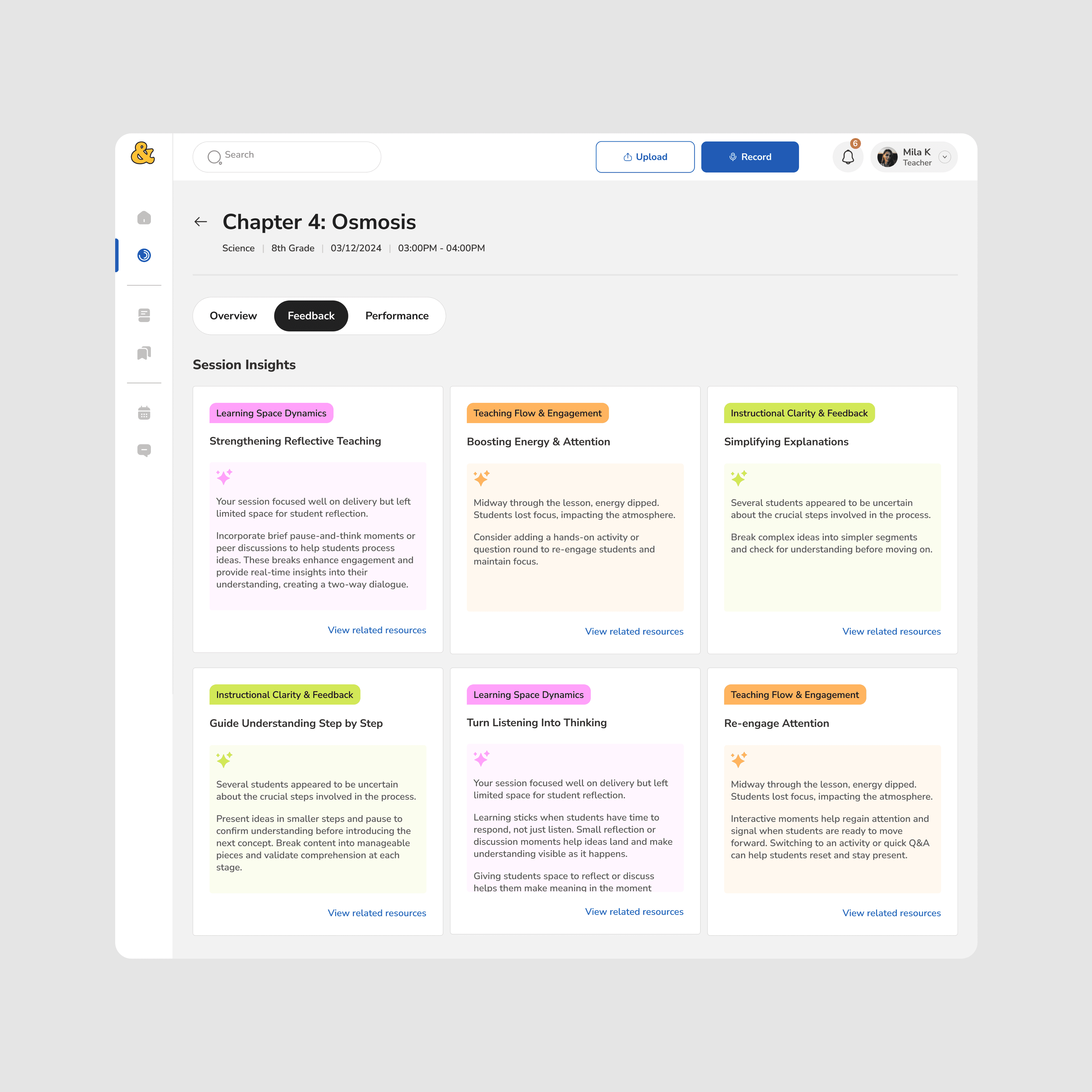
What failed first:
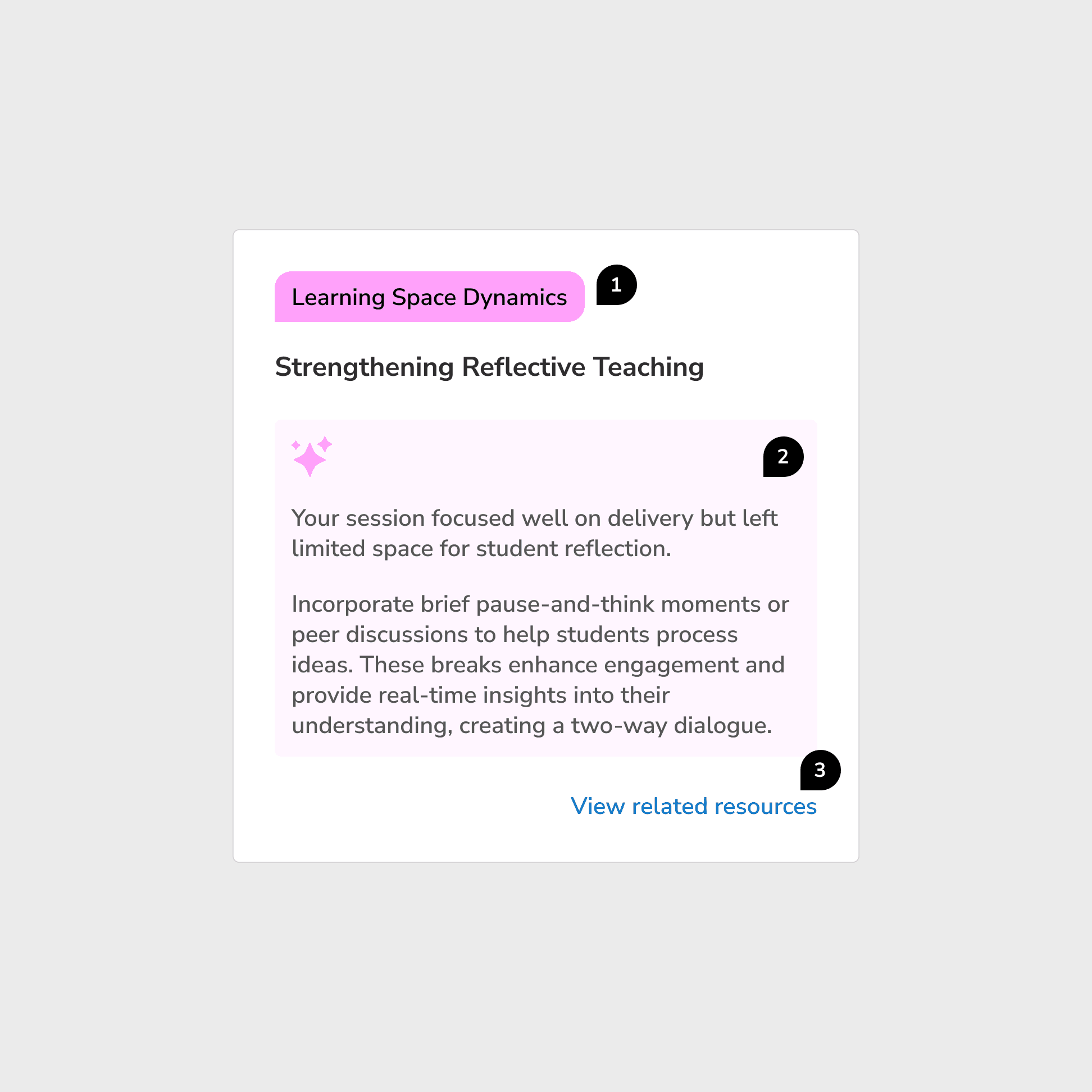
An early version grouped insights into categorized cards with color-coded tags. Clear structure, fast overview. But teachers couldn't tell why feedback appeared or connect it to anything specific. It felt generic, the same frustration they already had with existing tools.
What changed:
I redesigned the feedback screen around a chronological, timestamped layout tied directly to the lesson. "Session Insights" became "Action Items." Teachers could instantly see what each note referred to, why it was flagged, and what to do next.
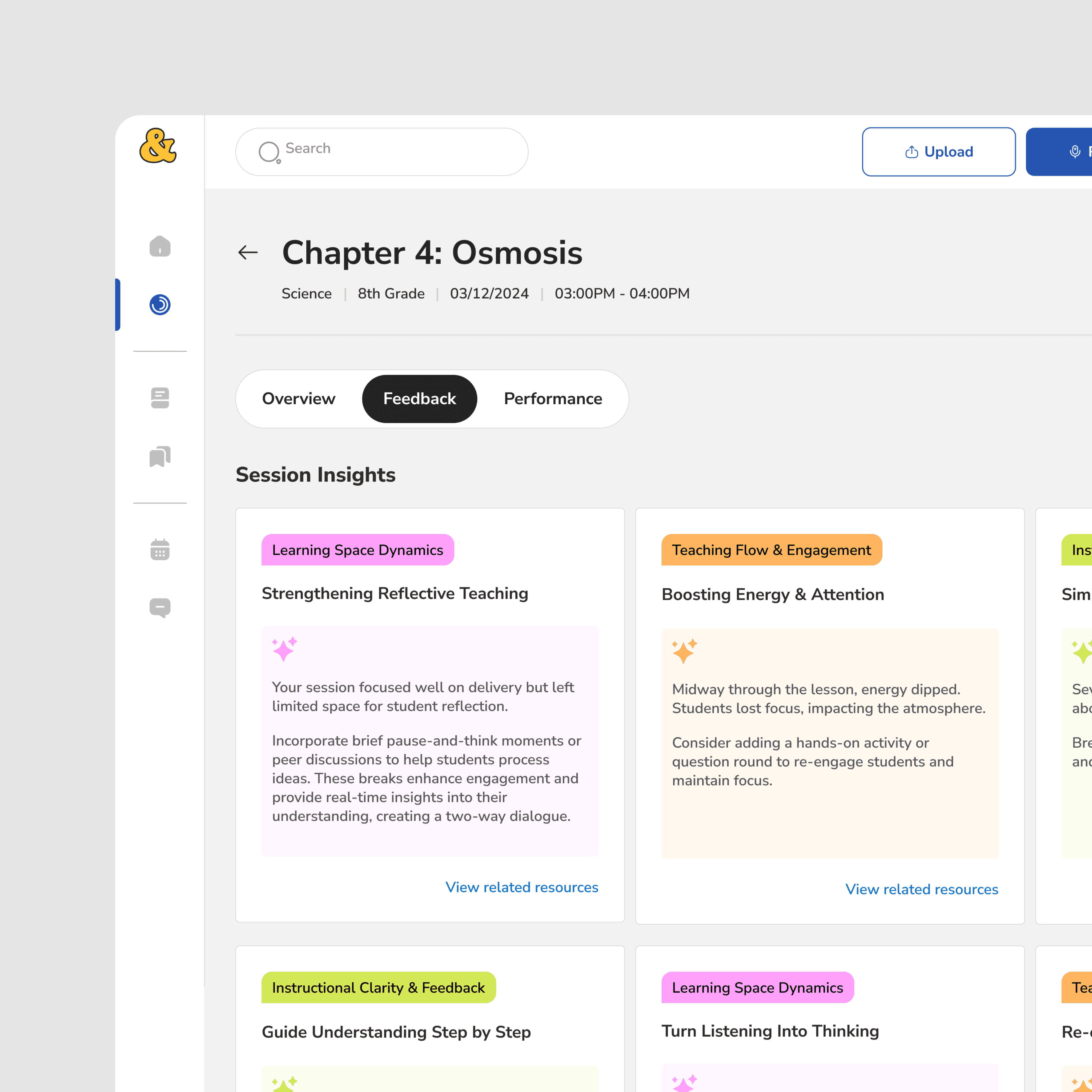
Before
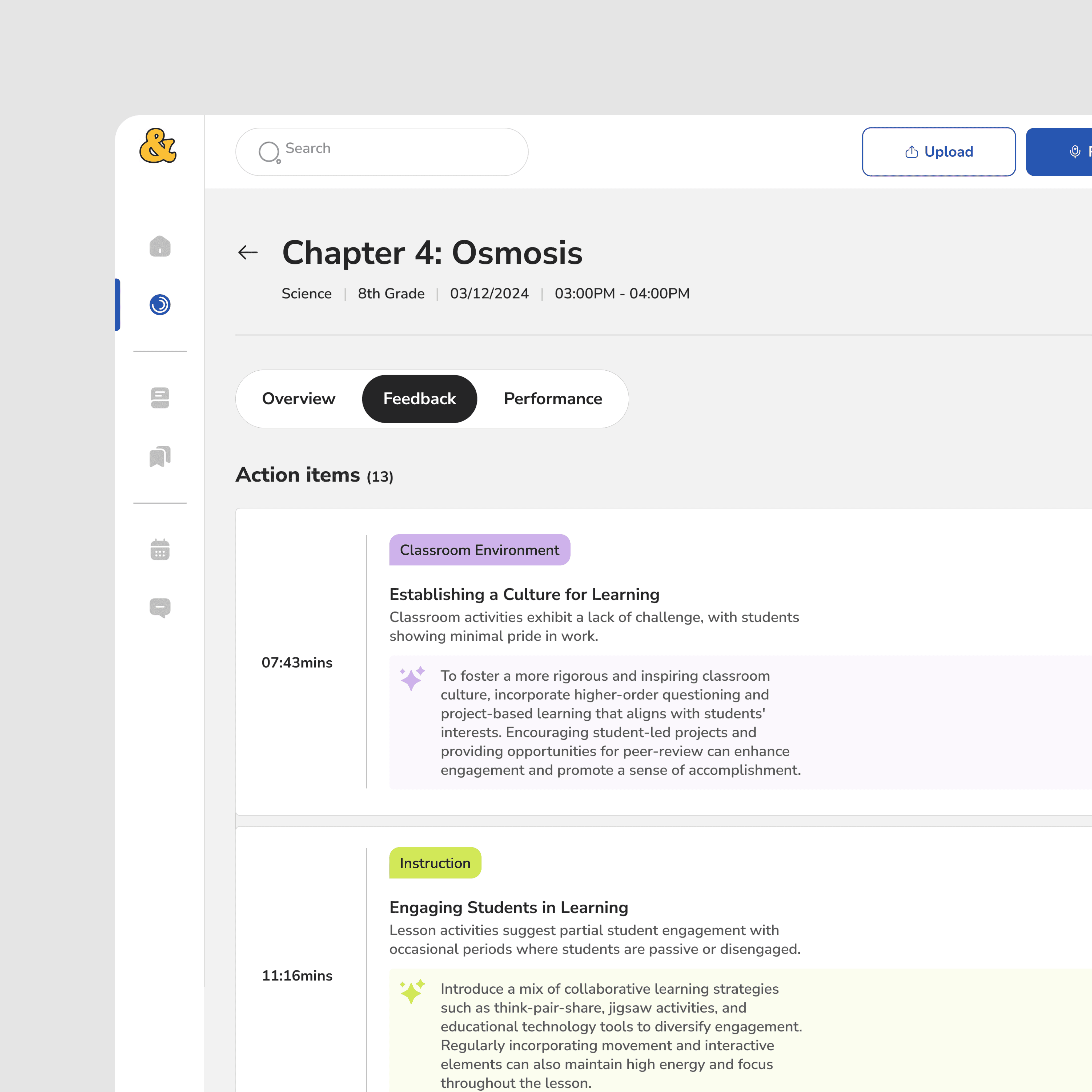
After
Why it mattered:
Anchoring feedback to real moments made AI feel observational, not evaluative. This was the first major trust unlock.
Decision 2
Make feedback scannable first, deep second
What testing showed:
Even with improved context, teachers spent 6+ minutes navigating feedback. Time-poor educators were disengaging before reaching the value.
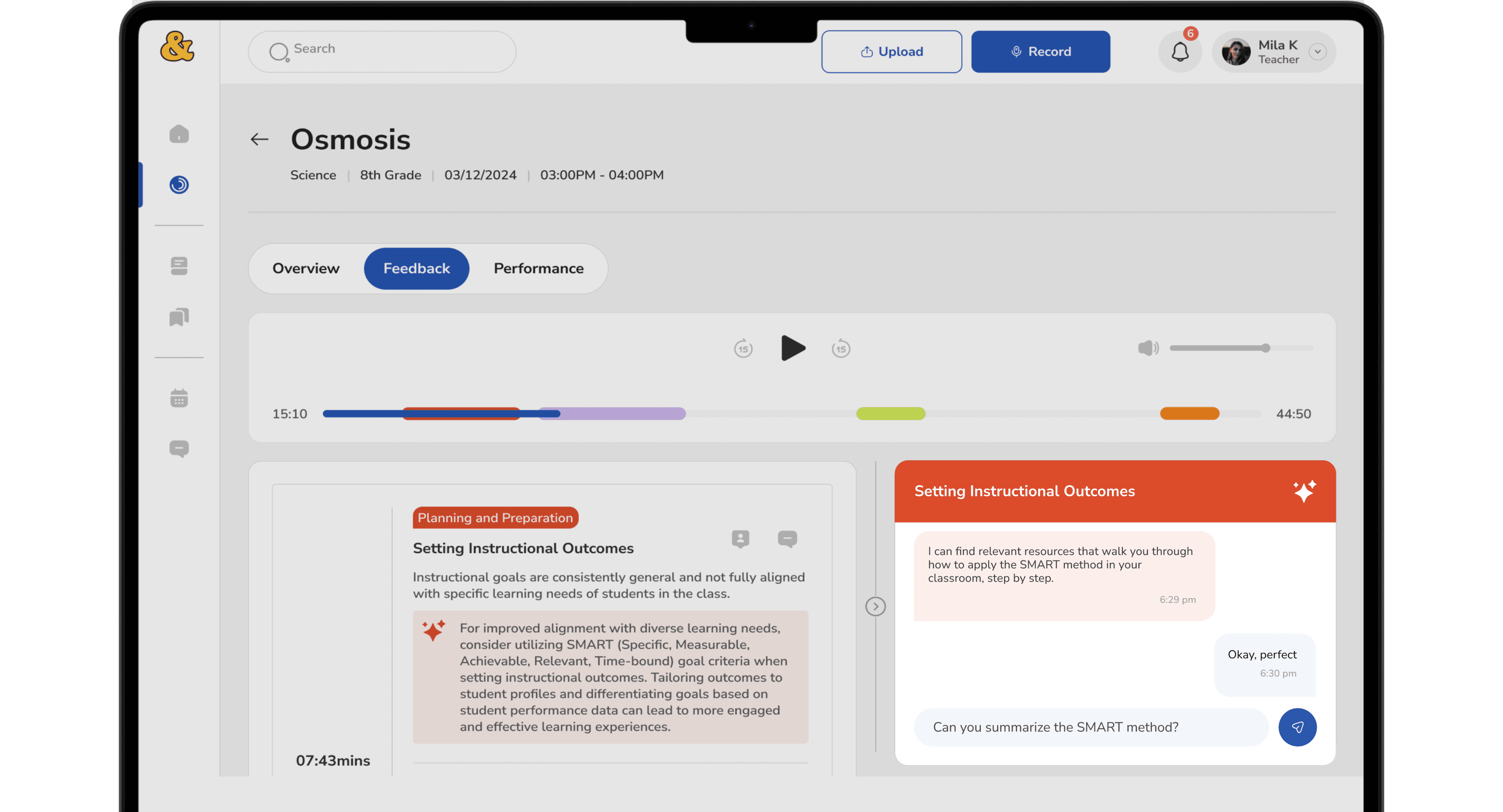
What changed:
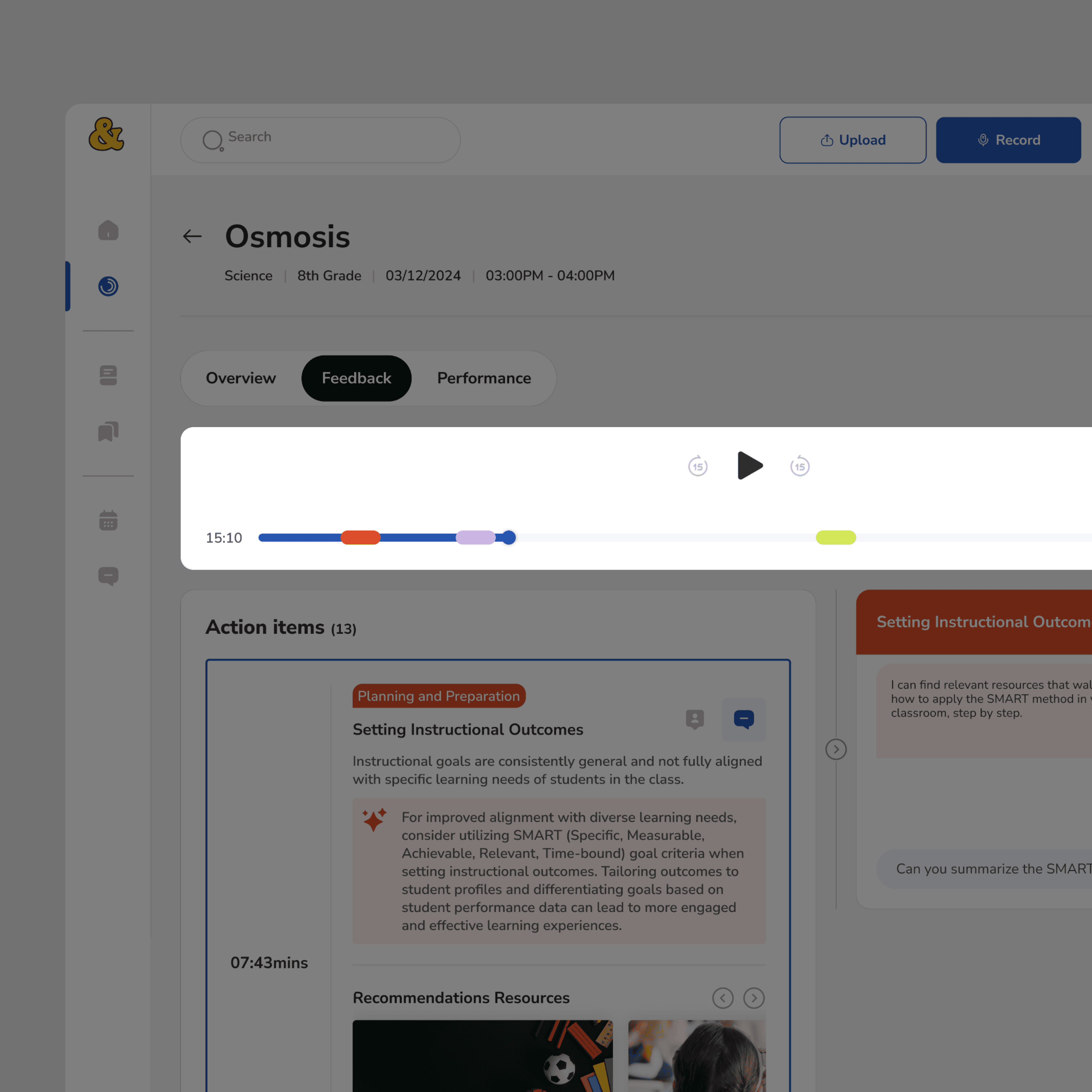
I added an audio player with visual timeline markers, allowing teachers to jump directly to flagged moments. The layout was restructured so the most relevant feedback surfaced immediately, detail available on demand, not by default.
Why it mattered:
If value isn't easy to find, intelligence doesn't matter.
Decision 3
Make AI optional, on-demand, and user-invoked
What research flagged:
Teachers were open to AI, but only if it didn't interrupt or judge them. Unsolicited AI surfacing was a trust risk.
What changed:
AI chat was repositioned as an on-demand assistant. It responded only to questions about selected feedback. It never surfaced unprompted evaluations or scores. Human coach review remained required before any feedback reached a teacher.
Why it mattered:
AI became a support tool, not an authority. Teachers stayed in control of when, how, and how much they engaged with it.
Validation & Testing
Tested with real educators across multiple rounds; issues found and fixed.
Expert reviews with instructional coaches, think-aloud sessions with novice and experienced teachers, cognitive walkthroughs, and post-test questionnaires.
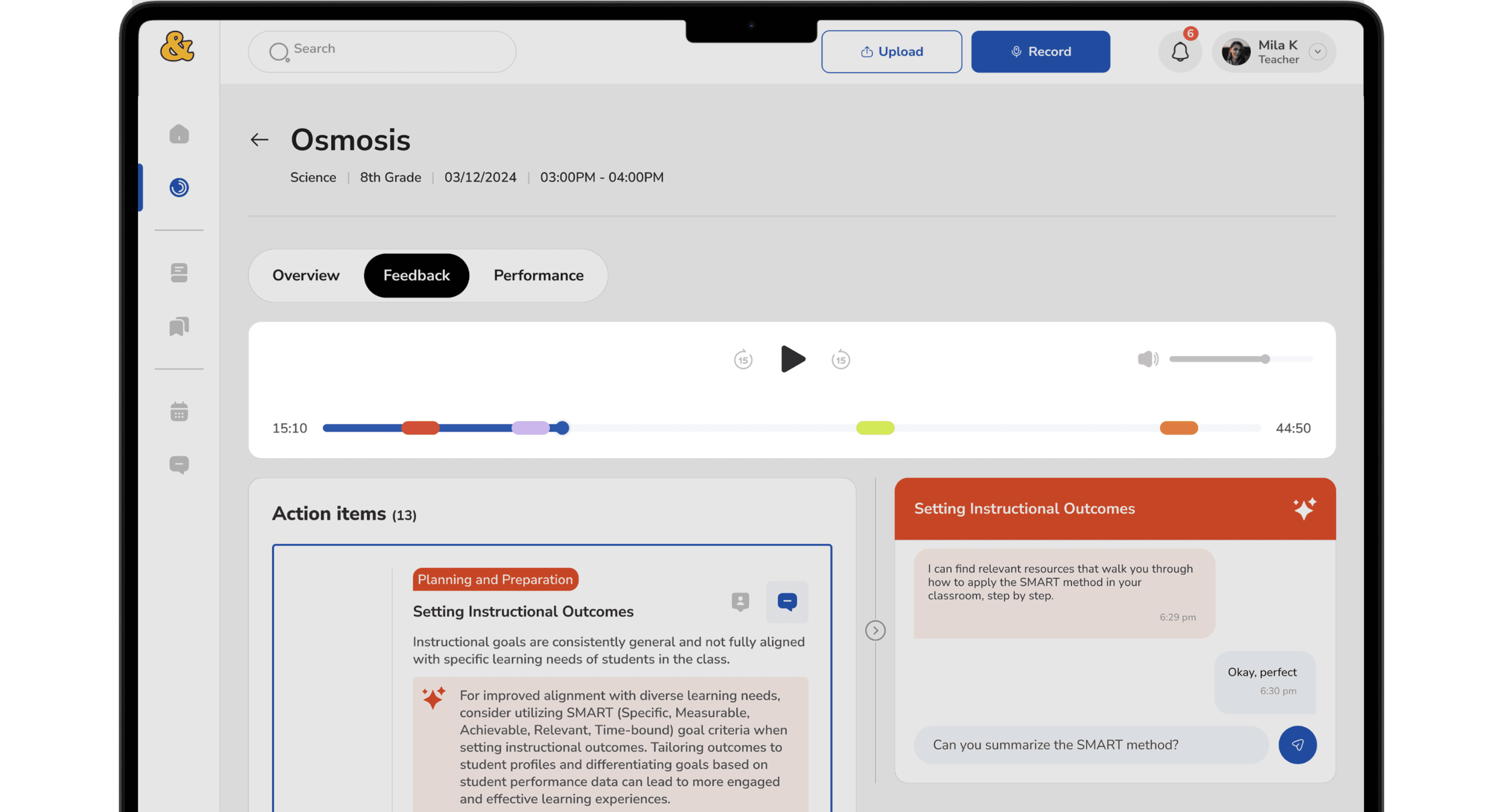
One key fix
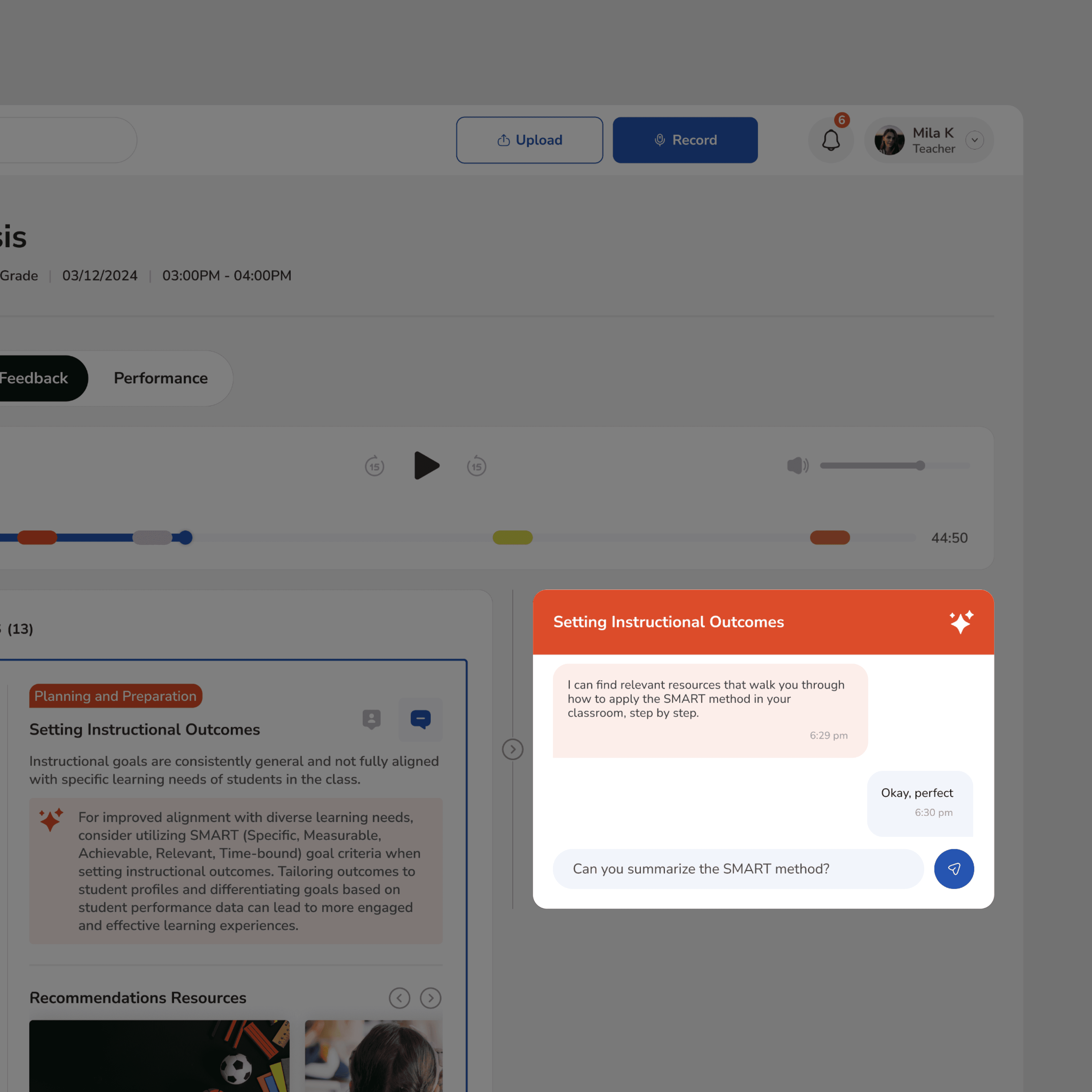
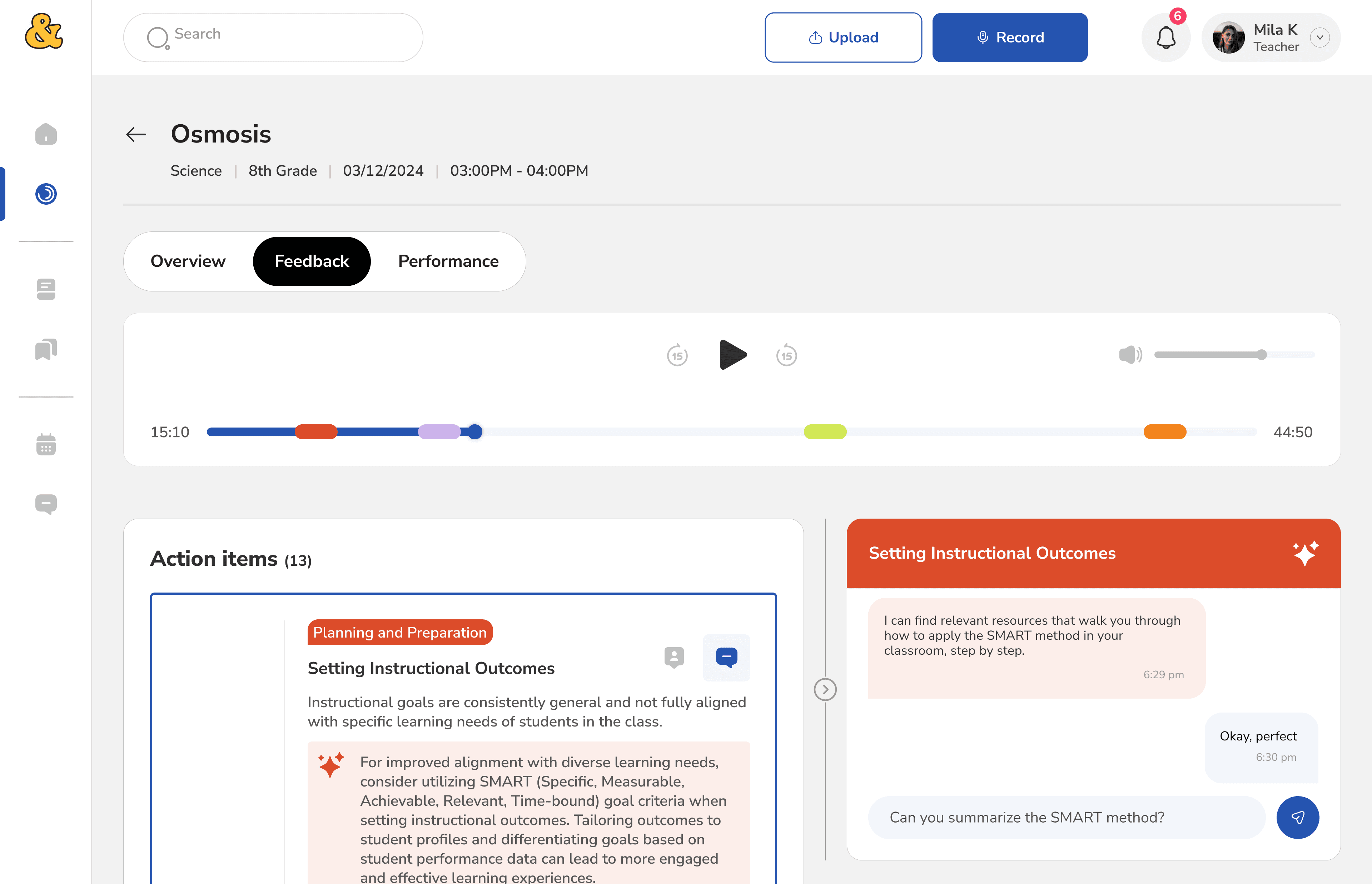
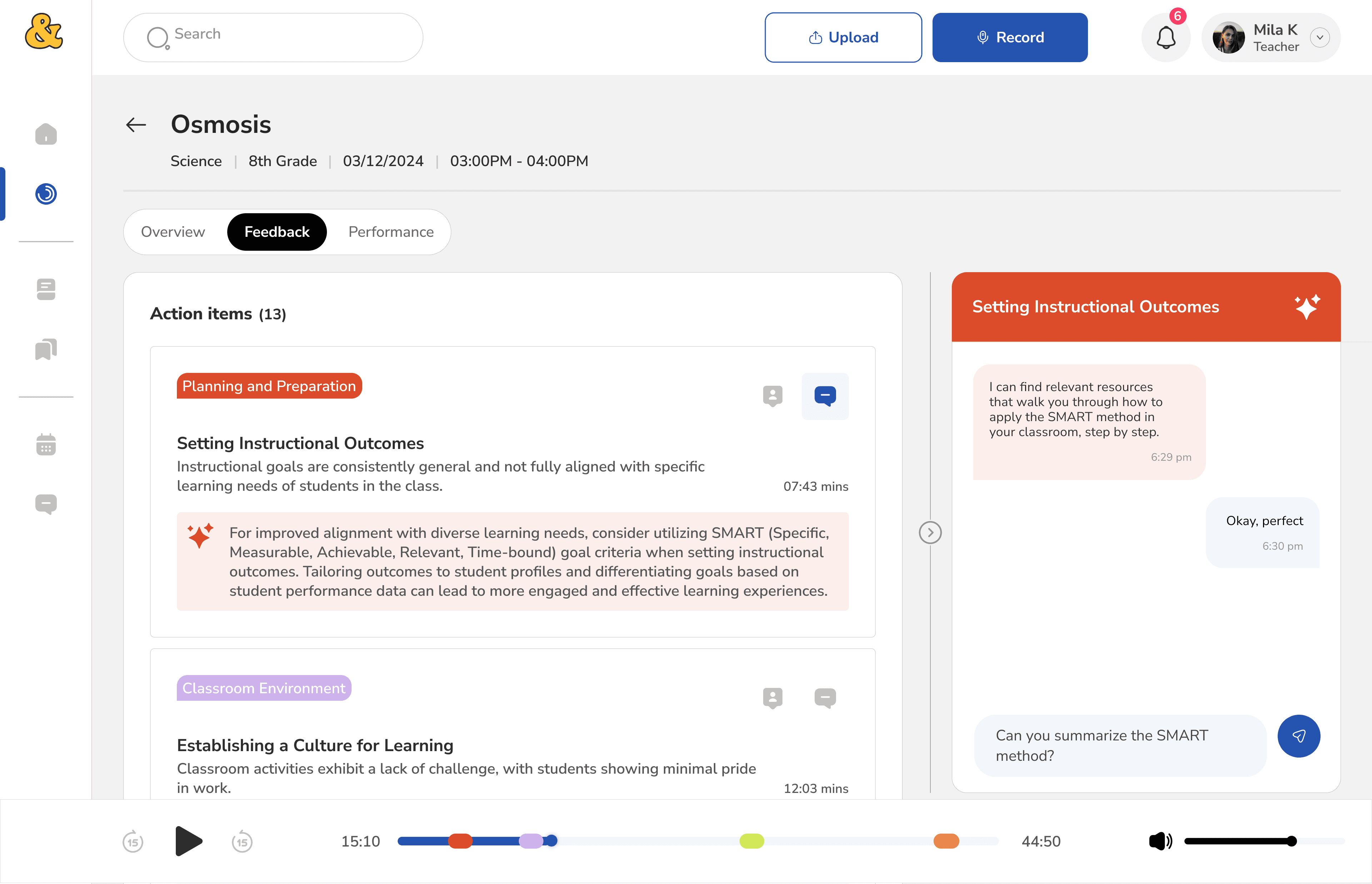
The audio player was fixed at the top, shrinking the scroll area and making longer feedback hard to review. I reworked the layout resizing containers, expanding the primary scroll area, and making the audio player sticky instead of blocking. A small change with a measurable impact on flow.
Before
After
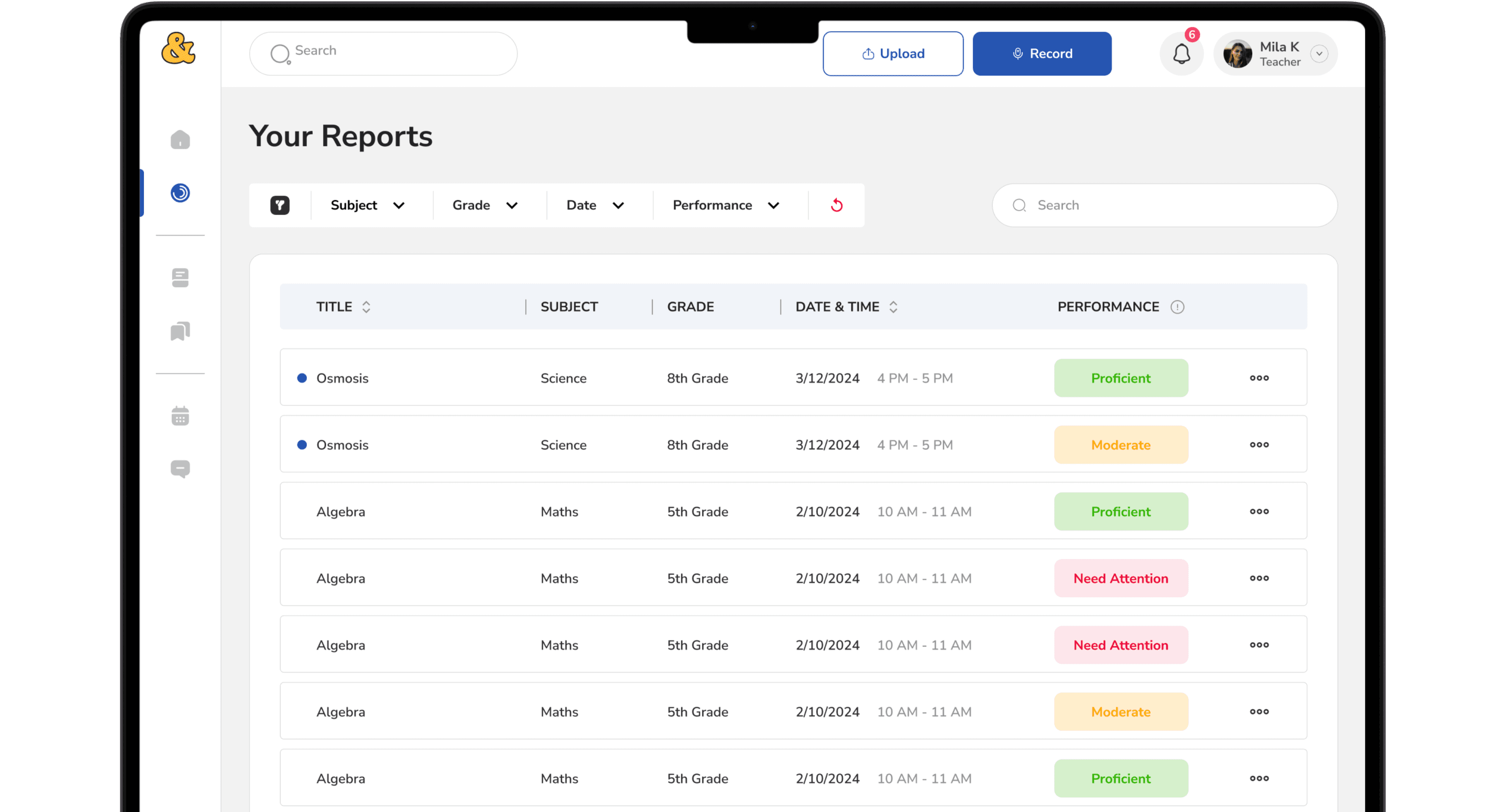
Impact
Usability testing and prototype validation showed measurable improvements:
40% reduction in navigation time (6 min → 3.5 min)
Near real-time feedback, eliminating multi-day coaching delays
90% of teachers reported satisfaction with clarity and speed
Increased confidence in AI-assisted feedback when paired with human review
Most importantly, teachers described the experience as supportive, not judgmental.
Trade-offs Made
We intentionally chose trust over automation.
Traded away
Flexibility
Automation
Intelligence
In favor of
Trust
Clarity
Restraint
AI worked best when it stayed close to real moments, avoided abstract scoring, and respected human authority.
My Role
End-to-end design ownership across research, architecture, prototyping, and testing.
Defined information architecture and feedback flows · Designed low- to high-fidelity prototypes · Led multiple rounds of usability testing · Iterated on observed behavior, not assumptions · Collaborated with a PhD client and subject matter experts to ensure pedagogical and technical feasibility.
Key Takeaways
Designing AI systems is as much about restraint as capability.
1
Trust is earned through predictability, not novelty.
Teachers adopted AI when it behaved consistently and within expected bounds
2
Timing, context, and control drive AI acceptance not features
3
Human judgment must stay visible in high-stakes domains especially education
4
Iteration is how ambiguity becomes clarity, every major decision came from testing, not the brief
What’s Next
1
Expand coaching insights across multiple sessions
2
Strengthen privacy and consent controls
3
Validate long-term impact on teacher growth
4
Explore real classroom pilots